It sounds harsh, but research suggests poor remote guest quality can influence how audiences judge both contributors and content.
Every production has the same goal: get the message across. Whether it’s a news interview, a live event, a company town hall or a remote guest joining a broadcast, audiences need to focus on what’s being said, not the technology delivering it.
But research suggests audiences don’t judge content purely on what they hear. The quality of a remote guest’s audio and video can influence how that guest, and the content itself, is perceived.
For producers and broadcasters it suggests poor remote contribution quality is more than just a technical issue. Let’s dive in and take a closer look.
Audiences Judge Before the Message Lands
There are two key pieces of research that tell us a lot about how audiences perceive guests.
A 2018 study looked at whether audio quality alone can change how people judge a speaker. Participants of the study were shown the same conference talks and radio interviews, but with one difference, some heard clear audio and others heard deliberately degraded sound. Same content, same speaker.
The difference in audio changed how the audience felt. When the sound was harder to follow, people rated the talk negatively, seeing the speaker as less intelligent, less likable, and the content less important.
When you make it difficult for people to process information, it becomes less credible.
— Professor Norbert Schwarz, University of Southern California
The study: Good Sound, Good Research: How Audio Quality Influences Perceptions of the Research and Researcher
A similar study in 2025 takes this further.
Researchers at Yale University asked listeners to evaluate short spoken passages, but this time the recordings were digitally altered to simulate different microphone qualities, keeping the words themselves clear and understandable in all versions.
What they found is that when audio was tinnier (the kind of quality you’d expect from a poor microphone) people consistently rated the speaker more negatively. The audience’s judgement of the speaker dropped across the board, including intelligence, hireability, credibility and even romantic desirability.
What makes this study particularly interesting is how controlled it was. The changes in audio were specifically designed to reflect microphone quality rather than anything about the speaker, yet listeners still judged the person behind the voice more harshly.
To summarise it simply, technology is being blamed on the person.
The study: Superficial auditory (dis)fluency biases higher-level social judgment
This Isn’t Just a Broadcasting Problem
It’s easy to think of audio and video quality as a problem for broadcast professionals, but research suggests the issue is much wider.
In the 2018 study the authors noted that the issue applies to situations in business, teleconference and videoconference calls, phone interviews, recorded presentations.
In practise that could be an executive delivering a company update, a guest speaking on a webinar, a lecturer joining remotely, a spokesperson on a live stream, or a church pastor welcoming a contributor from abroad.
In all these situations, poor audio not only makes the production feel less polished, but it also undermines the person on screen.
That’s a serious problem for any organisation that relies on remote contributors. The expert who’s spent years building their reputation can come across as less authoritative. The executive who’s carefully prepared their message can sound less confident. The lecturer who knows their subject inside out can feel harder to follow.
Video Is Also at Risk
Audio tends to get the most attention, but visual quality is largely the same.
When a remote guest is poorly lit, awkwardly framed, or pixelated against an inconsistent background, it adds friction. The audience isn’t fully focused on what’s being said, instead they’re processing everything around it. The flat image. The grainy feed. The sense that this person isn’t quite part of the production. That friction creates doubt.
Remote contributors rarely have control over their environment. They might be joining from a hotel room, a home office, a classroom, or a church vestry. They may not have acoustic treatment, broadcast lighting, or a properly positioned camera. Even with a stable connection, the result can feel disconnected from the rest of the programme, and audiences pick up on that.
“Good Enough” Has Its Limits
General-purpose conferencing platforms have been genuinely transformative. Zoom, Microsoft Teams, and similar platforms have made remote contribution possible at scale, and that’s changed possibilities for all kinds of organisations. That said, accessibility and professional quality aren’t the same thing.
When a remote guest becomes part of a live production, a webinar, a service, or a public briefing, they aren’t just ‘on a call’ anymore, they’re part of the programme. The same standards that apply to everything else on screen should, as much as possible, apply to them too.
The goal isn’t perfection, it’s making sure the audience can give a speaker their full attention, and that the speaker is judged on what they say, not on the limitations of their microphone, their webcam, or the room they’re calling from.
It's not just about who you are and what you are saying, it's about how your work is presented.
— Dr Eryn Newman, Australian National University
That’s the standout point in all of this, quality isn’t just production value. Quality is part of how credibility is built or lost.
Raising The Standard of Remote Contribution
The challenge for most production teams isn’t awareness; it’s control.
When a remote guest joins from their home office or a hotel room, the producer has limited say over what microphone they’re using, how they’ve lit the shot, or whether the room behind them adds to the production or takes away from it. The technology gap between a contributor’s setup and the rest of the programme can be significant.
That’s the problem QuickLink StudioEdge™ is built to solve.
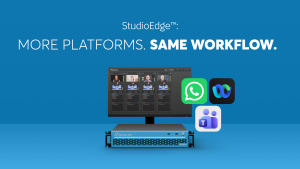
StudioEdge™ closes the gap between a contributor’s environment and the standard expected of professional productions. Guests continue joining through familiar platforms such as Zoom, Microsoft Teams and StudioCall, while production teams get control over how those contributions are delivered to air.
For the guest, nothing changes. For production, the output is far more suited to professional content.
Remote contributors rarely have access to broadcast-grade equipment or ideal environments. Their audio may be affected by poor microphones, background noise or room acoustics. Their video may suffer from poor lighting, heavy compression or inconsistent image quality. These are the kinds of issues that can distract audiences and, as the research points out, influence how audiences judge content.
StudioEdge™ uses NVIDIA AI technologies to minimise those distractions. Studio Voice enhances and cleans incoming audio, helping to reduce background noise and improve clarity, while AI-powered Denoising helps restore detail and reduce visible compression artefacts in video feeds.
The aim isn’t to create perfection, it’s to help remote contributors sit more naturally alongside the rest of a professional production. Not to recreate a studio, but to close the gap between remote and in-person contributions, protecting the authenticity of the guest while helping audiences focus on what’s being said, rather than audio or video.
The less attention drawn to guest technology, the more attention drawn to the message.
Ultimately, it’s about protecting content credibility and ensuring audiences focus on what matters most.