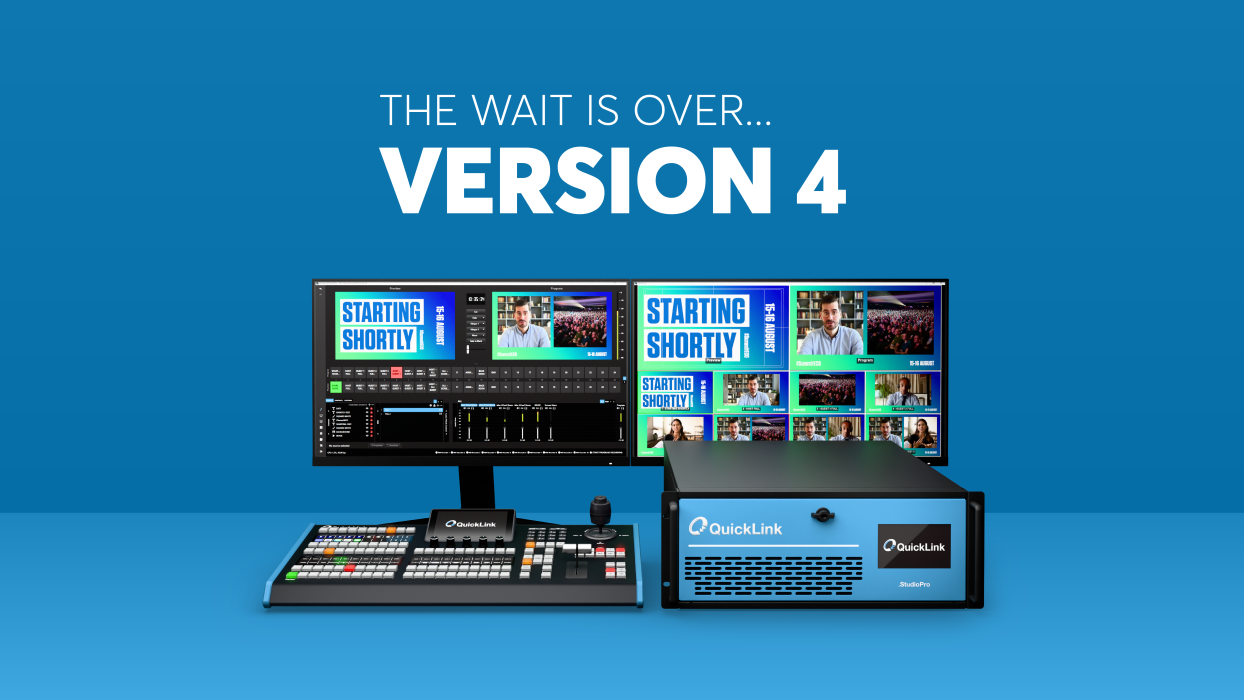
The time has come. Today, we’re thrilled to share that StudioPro™ v4, our biggest ever feature update, is now available — and it’s made StudioPro even more powerful, intelligent, and production-ready than ever before!
What’s new in v4?
A lot. We’ve pushed the boundaries of video production even further! StudioPro v4 is a software update now available for all StudioPro™ models (StudioPro-NDI, StudioPro-3, StudioPro-8, StudioPro-16 and StudioPro-2110), which is packed with groundbreaking upgrades, long-awaited enhancements and general improvements.
Here are some of the stand-out features you can find in StudioPro v4:

AI Helper
At the heart of StudioPro v4 is a complete reimagining of the production workflow, and leading the way is the brand-new QuickLink AI Helper.
This intelligent, conversational assistant is built directly into the StudioPro interface, providing real-time support exactly when and where you need it. Operators can simply ask workflow or operational questions, from configuring inputs and managing recordings to switching scenes or adjusting audio, and receive instant, context-aware answers powered by machine learning.
It’s like having a StudioPro technical expert by your side — available 24/7, right inside your control room.
Media Player (DDR)
Introducing the highly anticipated DDR Media Player, a sleek, integrated way to load, manage, and play back pre-recorded video and audio clips directly within your live production workflow. It’s essential for producers looking to deliver polished, dynamic content without relying on external playback hardware.
But here’s the game-changer: StudioPro doesn’t limit you to one, two, or even four DDRs. Unlike traditional hardware-bound systems, StudioPro’s software-defined architecture means you’re only limited by your creativity. Add as many DDRs as your production demands, virtually unlimited and fully integrated.
Key features of the brand-new Media Player:
- Unlimited DDR Instances: Scale playback channels based on your production needs
- Playlist Support: Arrange and manage multiple clips for seamless transitions
- Precise Control: Set in/out points, cue clips, loop playback, and more
- Operator-Friendly UI: Resizable, intuitive dock with play, pause, skip, replay, and scrub functionality
- Unified Interface: All integrated into the StudioPro interface for efficient, all-in-one control
Revamped ISO Recorder
In StudioPro v4, ISO recording has been completely reengineered for maximum flexibility and control.
The all-new ISO Recorder has been completely reimagined to give you more flexibility, more control, and a more intuitive workflow, all from within the StudioPro interface. Whether you’re capturing individual inputs, such as camera feeds, remote contributors, or full composited Scenes, the updated ISO Recorder lets you record anything, now with a streamlined interface.
Color Scopes
With StudioPro v4, we’re giving producers new levels of precision with professional color scopes built directly into the interface and available as pop-out monitors.
For the first time in StudioPro, you can monitor your image using Waveform, Vectorscope, and Histogram tools — all in real time, all inside the interface. Whether you’re fine-tuning skin tones, correcting uneven lighting, or ensuring consistent color across remote contributors, these scopes give you the data you need to make informed adjustments on the fly. The result? Better-looking video, every time you go live.
System Stats Panel
The brand-new System Stats Panel in StudioPro brings real-time visibility into your system’s performance and operational health, essential for maintaining flawless production performance.
This panel displays critical metrics at a glance, including CPU usage, memory usage, available disk space, and average time to render each frame. For high-demand productions, it provides immediate visibility into missed frames caused by rendering lag and skipped frames due to encoding delays, helping operators quickly detect and diagnose issues before they impact the output.
With its clean, intuitive ‘pop-out’ interface, it integrates seamlessly into your workflow, giving you confidence in your system’s stability even under the most demanding conditions.
NDI 6 Support
Following our announcement in June of StudioPro being officially NDI Certified, version 4 includes full support for NDI 6.
With NDI 6, StudioPro delivers improved video quality, reduced latency, and faster, more reliable source discovery across your network. Whether you’re managing multiple remote inputs, routing sources between systems, or building a fully IP-based production environment, StudioPro v4.0 ensures seamless interoperability with the latest NDI advancements.
And much, much more…
And that’s just the beginning. StudioPro v4 also brings dozens of under-the-hood improvements, workflow optimizations, and performance upgrades that give producers more confidence, speed, and creative flexibility.
All features in this version are seamlessly integrated into the brand-new StudioPro Proton and StudioPro Fusion control surfaces, delivering responsive, hands-on production control like never before.
Ready to experience StudioPro v4?
With StudioPro™ v4, productions are entering a new era of flexibility, power, and creativity. Through its Scene-based structure, an evolution of Mix/Effects (M/Es) with enhanced creative freedom and flexibility, StudioPro is redefining the possibilities of live video production, mitigating the complexity of legacy hardware-defined systems.
Get hands-on with this version now by updating your StudioPro hardware to version 4. To receive this update, simply get in touch with the QuickLink Support Team.
You can also discover StudioPro, and the latest update at NAB Show New York 2025 by visiting the QuickLink Booth (148) from 22-23 October.
Release notes and how-to’s: