Remote guests in broadcast have become a regular part of production workflows, think live news interviews, remote panel discussions, hybrid events and much more. While remote guest contributions aren’t new, quality expectations have changed.
Poor audio, awkward frame drops or low-resolution video isn’t overlooked just because someone is “dialling in”. For viewers, your guests’ feed is part of your broadcast, and its quality directly reflects on you.
So, how do you bring in remote guests in a way that’s professional and reliable?
Remote Guests are here to stay
Remote guest contributions are fast, flexible and have global reach. Producers can include guests from anywhere in the world without incurring the cost of travel or someone’s time. Hybrid events and remote workflows have become the norm, and contributors expect to join from wherever they are.
However, you can’t necessarily control what equipment your guests use, their connection, or even their environment. What you can control, however, is how you manage and deliver that contribution.
Zoom, Teams and WebRTC-Based Solutions
Platforms like Zoom and Microsoft Teams are incredibly powerful for remote contribution. They are some of the most widely used and accessible platforms, making them ideal for introducing all kinds of guests.
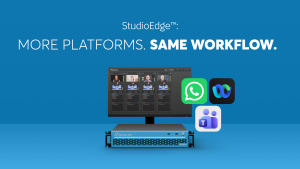
That’s why they are core parts of modern production workflows, and why they’re integrated directly into solutions like StudioEdge™, which unifies platforms and enhances video and audio quality to a professional level.
Platforms like StudioCall™, a WebRTC-based solution, also enable simple, browser-based guest contribution, but with added production controls such as mic and camera management.
This is where systems like StudioEdge™ come in; they support Zoom, Teams and StudioCall™ in a single unified workflow. It provides platform flexibility, adds production-quality control, and makes hybrid workflows feel native.
Connection vs Contribution
Connecting guests is easy, but getting a clean, controlled, broadcast-ready feed is something else entirely.
A proper remote contribution workflow considers:
- Video and Audio quality – stable connection, high-res video, clean audio, low latency
- Production control – return video/audio, IFB, and remote camera/mic control
- Guest simplicity – one-click, browser-based joining with no downloads or stress
- Professional tools – broadcast-grade hardware system monitoring, live tech support
Make sure that even if your guest is joining from a kitchen laptop or an office phone, the output still holds up on air.
Quality still reflects on you, not the guest
Though it may seem unfair, when a guests’ feed looks or sounds poor, audiences don’t blame the guest, they blame the production.
Poor contributions can undermine your credibility, distract from your message, or just make your content feel amateur. It’s not always about technical failures either, sometimes it’s the subtle things like soft audio or frame drops.
Remote guests in broadcast shouldn’t be an afterthought.
Fit for purpose solutions
The difference between a smooth, high-quality remote guest experience and a stressful, unpredictable one often comes down to the systems in place behind the scenes.
Tools like StudioEdge™ are designed specifically for these scenarios, allowing you to blend guest flexibility with professional control. Whether your contributor is joining on Teams, Zoom or StudioCall™, you’re still able to maintain consistency and professional output quality.
Your guests get simplicity, and you get confidence that what ends up on screens meets your standards.
StudioCall™: Browser-based guest contributions with no installs. Perfect for fast, flexible connections.
StudioEdge-1: Single guest channel unit with 1 SDI in, 1 SDI out, HDMI and NDI support, ideal for one-on-one remote feeds.
StudioEdge-2: Dual guest channel unit with 4 programmable SDI in/out and NDI support, built for juggling multiple remote contributors.
StudioEdge-4: Four guest channel unit with 8 programmable SDI in/out, NDI support and dual power supply, great for reliability and high quality production/broadcast.
StudioEdge-2110: Four guest channel unit with native-IP designed for SMPTE 2110. Built for futureproof production setups.
See the full StudioEdge Comparison
Remote guests in broadcast need to be managed properly. That means reliability, quality and control of how they appear on air. Your process should start with the right infrastructure and end with a better experience for production and viewers.